How to Change Patient’s Email in Manage My Health
47 views 1 September 1, 2025
Description:
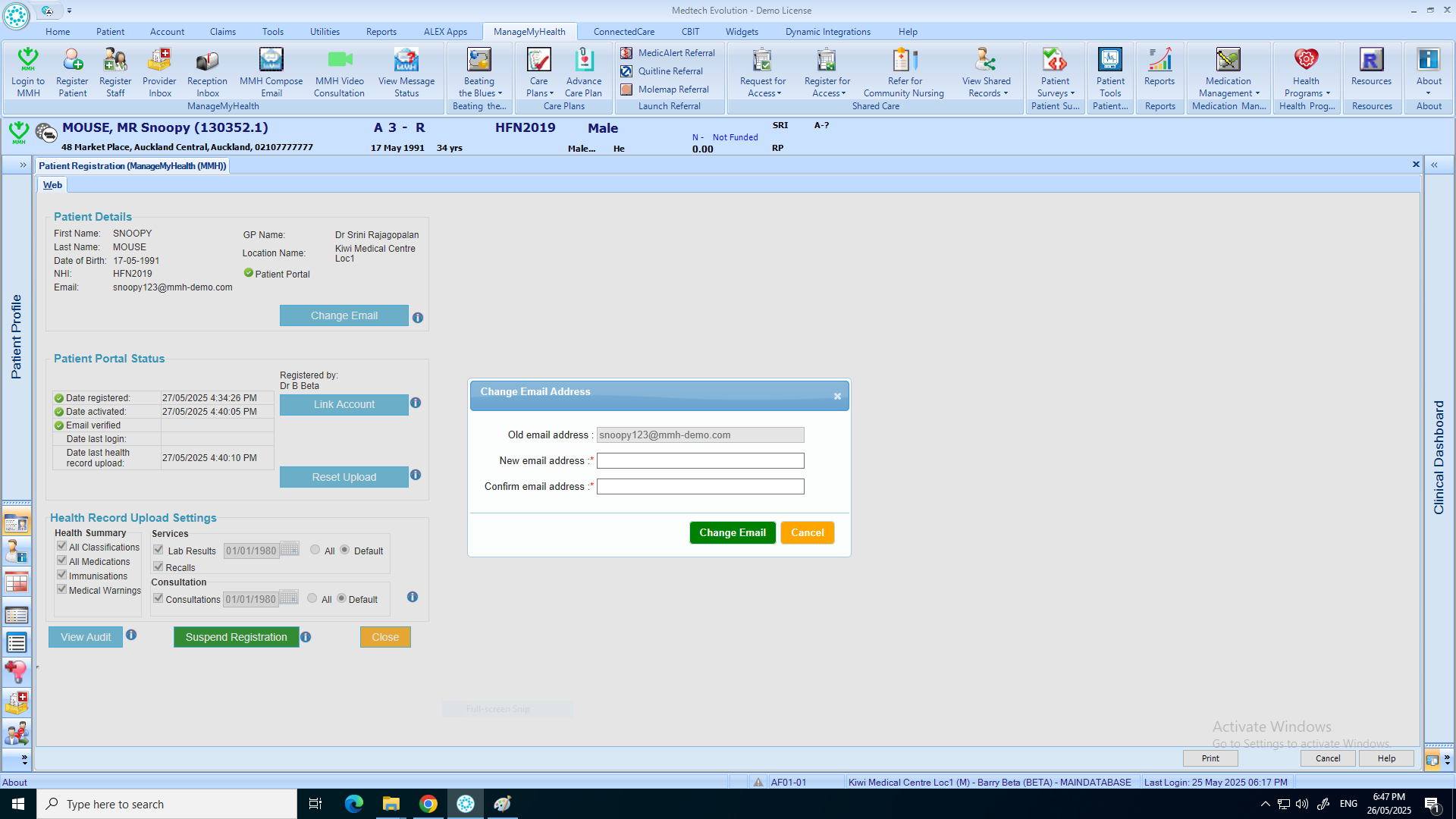
This help guide explains how to update a patient’s email address in ManageMyHealth. It’s useful when a patient changes their email and needs it reflected in the portal. You’ll learn how to access the Manage My Health menu, open Register Patient, and select Change Email. By following these steps, you can enter and confirm the new address. The change will only apply once the patient verifies their new email.
Video Demo:
Steps:
- Place the patient on the pallet.
- From the top menu, click “Manage My Health.”
- Select “Register Patient.”
- Click on “Change Email.”
- Enter the patient’s new email address, then click “Change Email.”
- Click “OK” to confirm the email change.
- The email address has been successfully updated.
Note: The new email will only be applied once the patient verifies it.