Description:
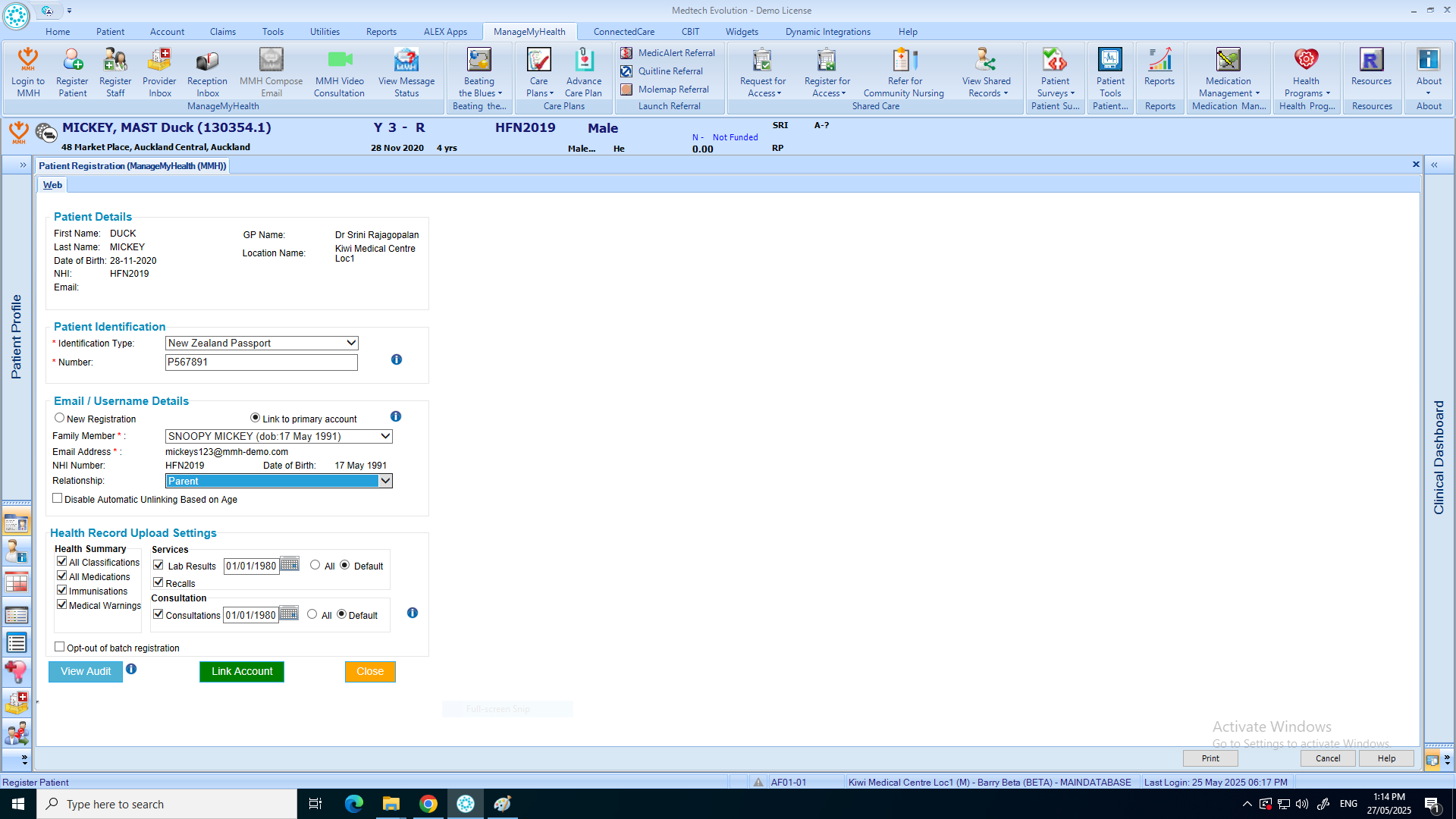
This help guide explains how to link multiple family members under one ManageMyHealth account. It’s useful when families want to manage health information from a single login. You’ll learn how to select the patient record, open Register Patient from the ManageMyHealth menu, choose an identification type, and link them to a primary account as a family member. By following these steps, you can complete the process and ensure family members are successfully connected under one account.
Video Demo:
Steps:
- Place the patient (Family Member) on the pallet.
- Click “Manage My Health” from the top menu.
- Select “Register Patient.”
- Choose the patient’s Identification Type from the dropdown menu, then enter the Identification Number.
- Click “Link to Primary Account.”
- From the dropdown, select “Family Member” and specify the Relationship.
- Click “Link Account.”
- Click “OK” to complete the registration.
- The patient has been successfully linked to the primary account.