How to send reply and forward secure messages in pms
59 views 0 August 31, 2025
Description:
This help guide explains how to compose, reply to, and forward secure messages in the PMS. It’s useful when providers need to communicate directly with patients through ManageMyHealth. You’ll learn how to send a new secure message, reply from the Provider Inbox using Quick Reply or File and Reply, and forward messages to others when needed. By following these steps, providers can keep patient communications seamless and ensure messages are correctly filed in the patient’s inbox.
Video Demo:
Steps:
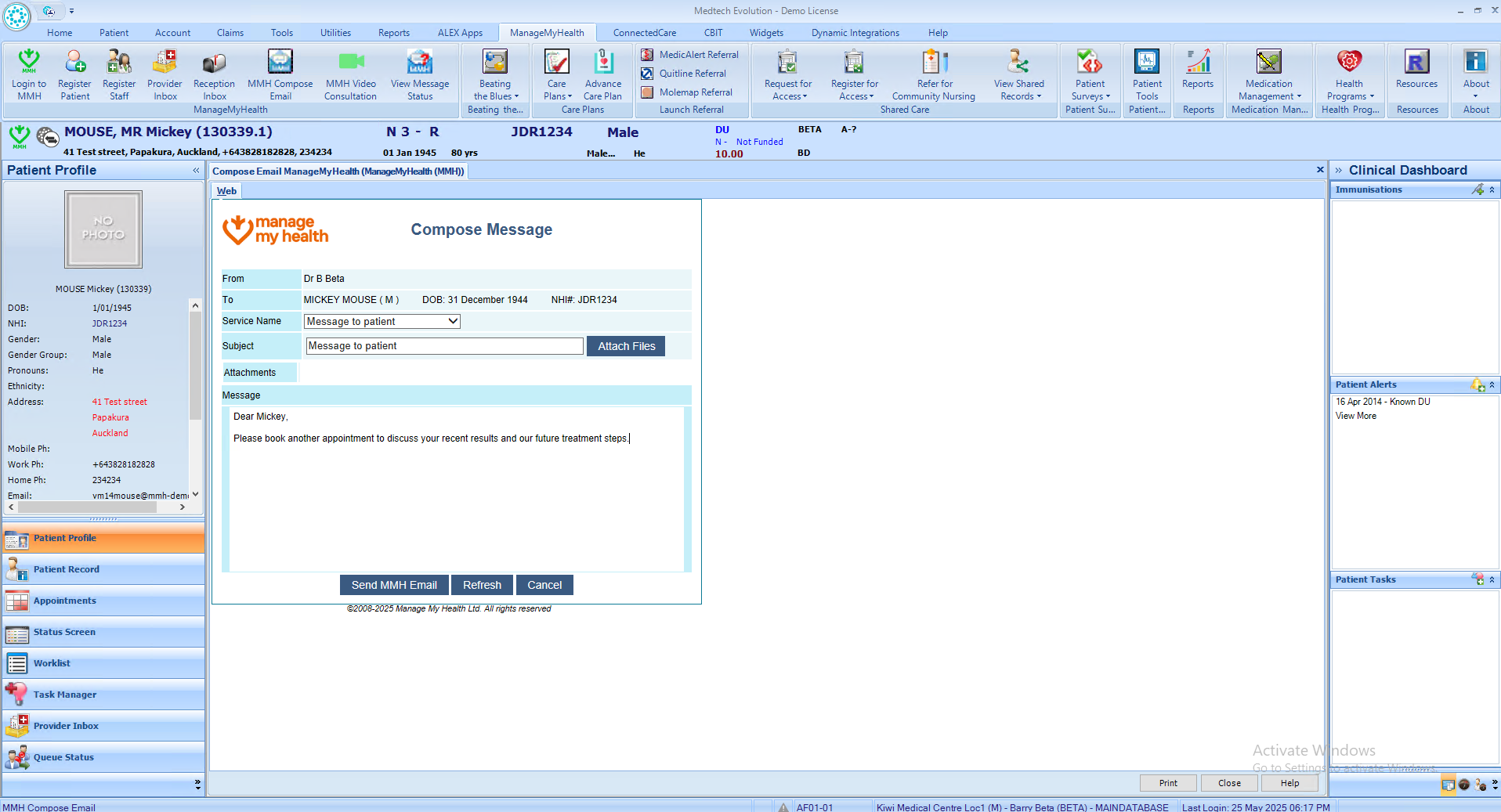
- Select the patient registered with ManageMyHealth and click “ManageMyHealth” from the top ribbon.
- Click “Compose MMH Email,” choose the appropriate Service Name, enter your message, and click “Send MMH Email.”
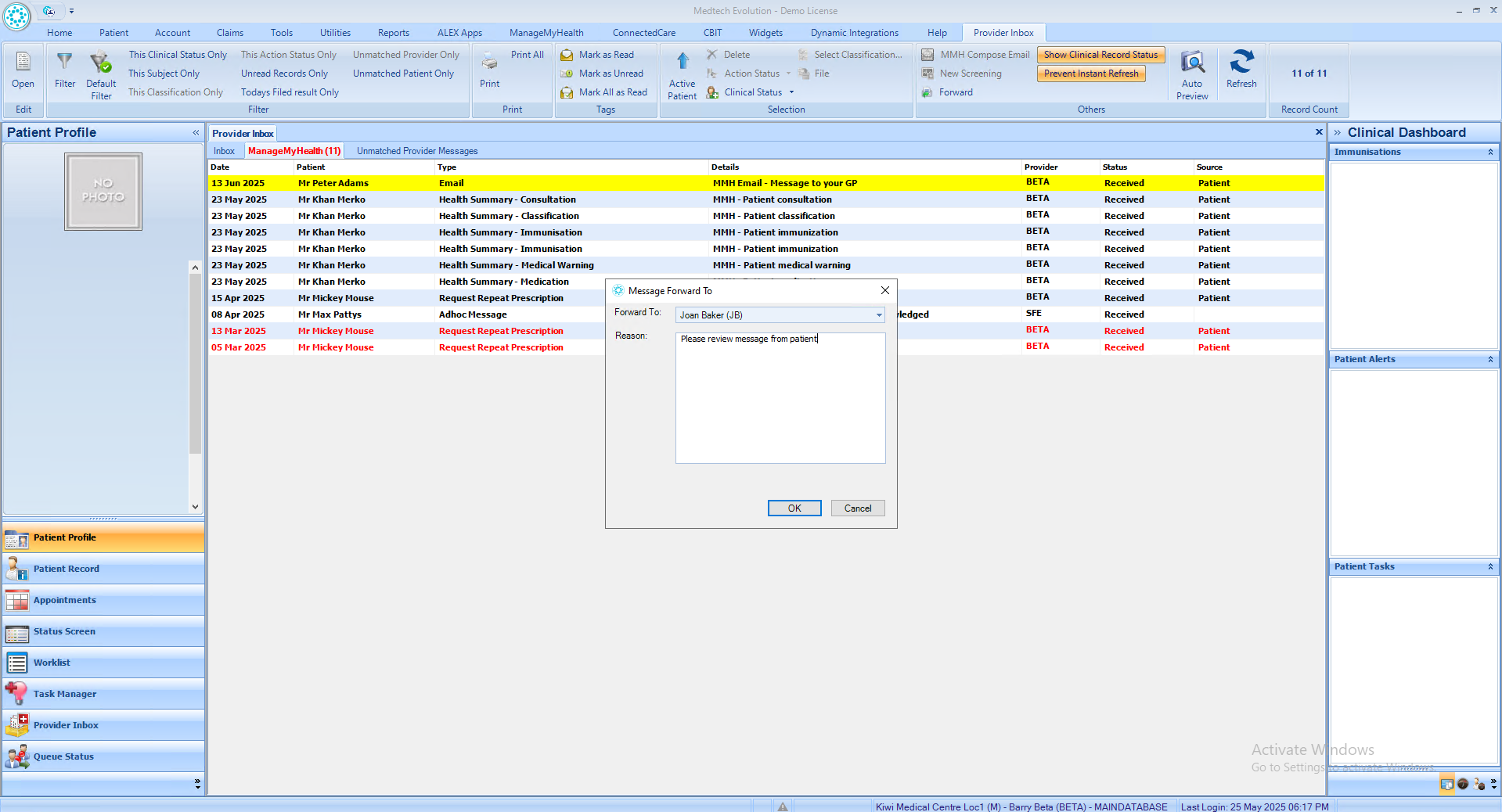
- To forward a secure message, go to the Provider Inbox, select the message under the ManageMyHealth tab, and click “Forward.”
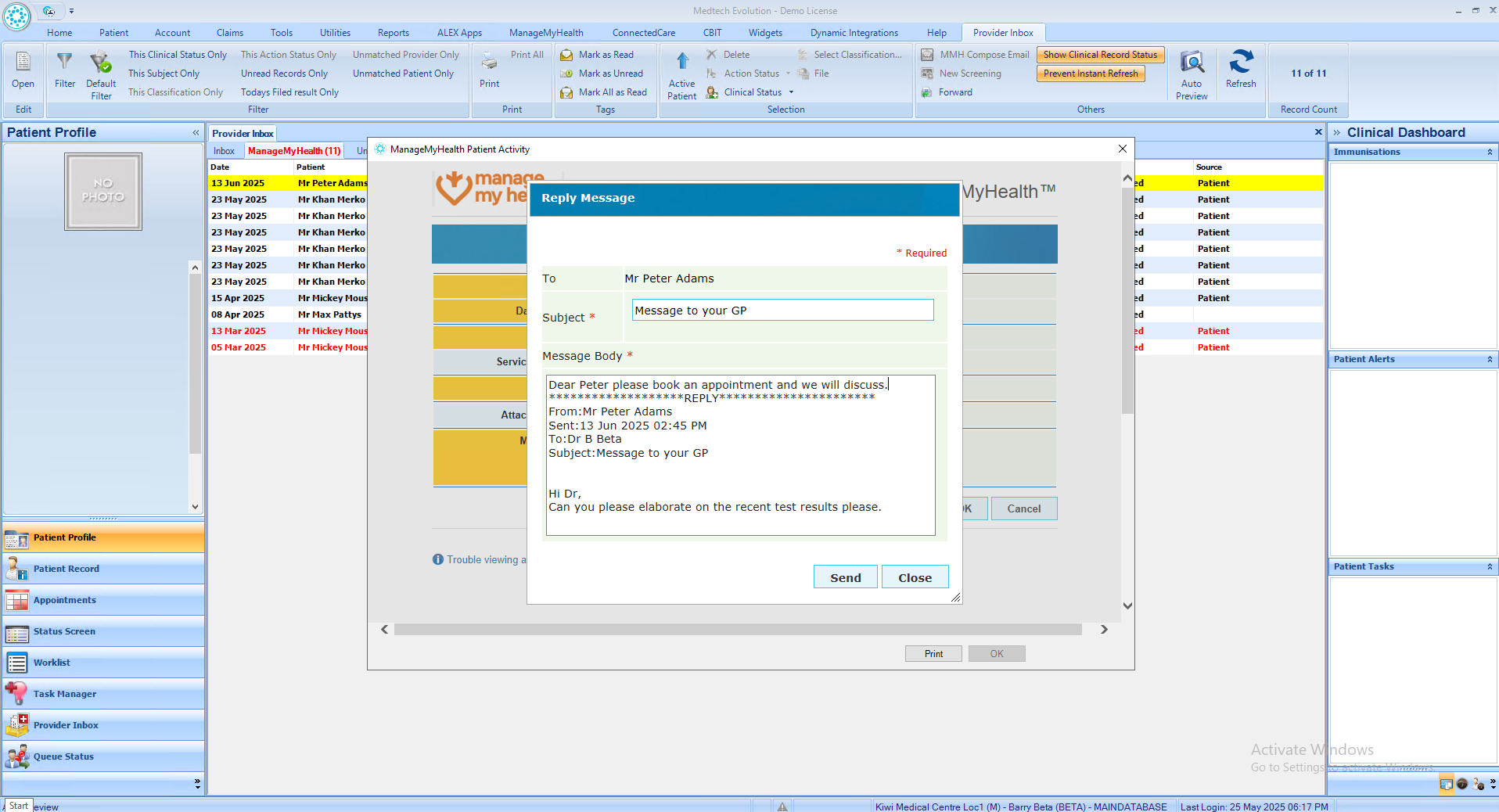
- To reply to a patient’s secure message, open the secure message from the ManageMyHealth tab in the provider inbox.
- Click “Quick Reply” to respond within the PMS or “File and Reply” to reply via the Provider Portal.
- Enter your message and click “Send”. The email is now filed in the patient’s inbox.