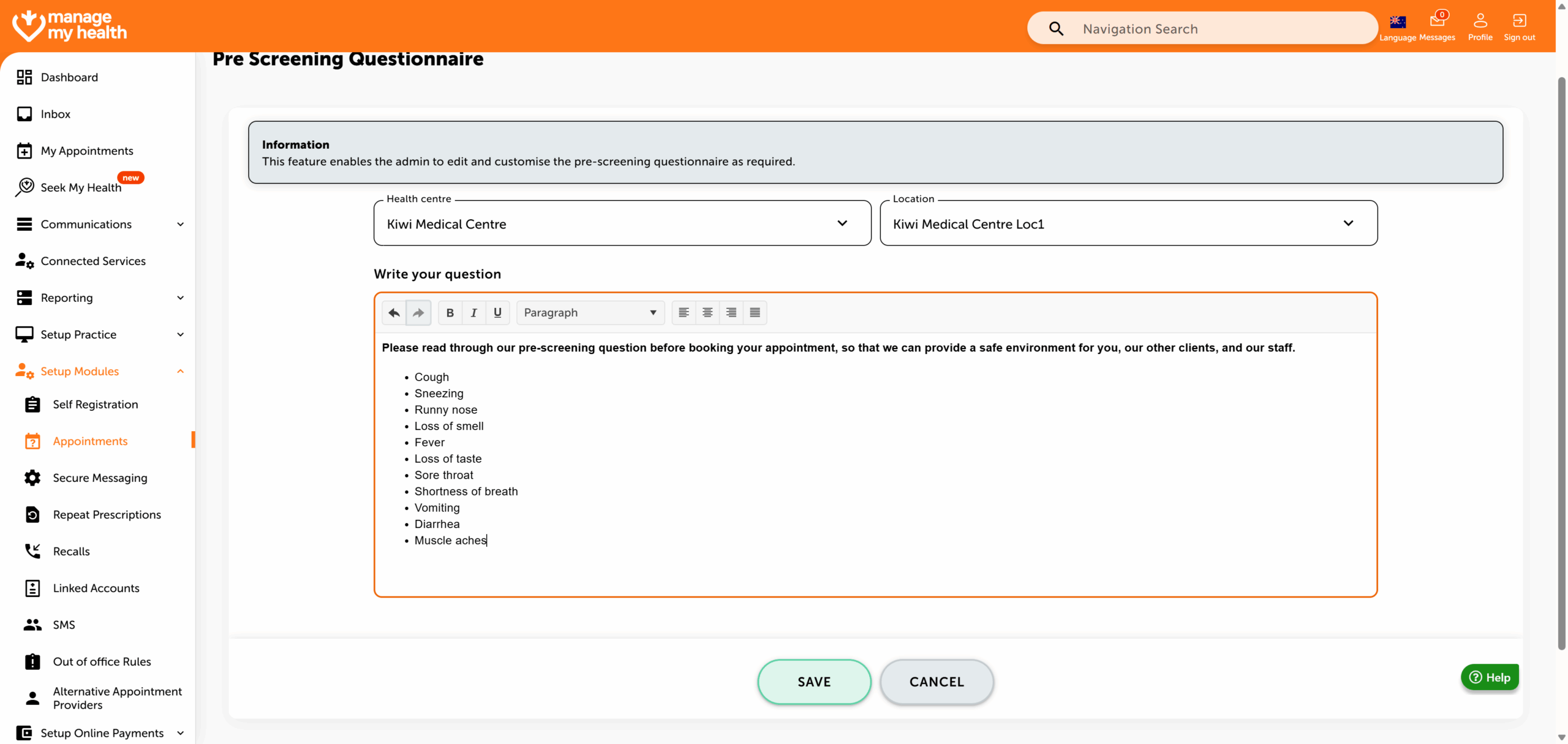
Description:
This help guide explains how to update pre-screening questionnaires for appointments in ManageMyHealth. It’s useful when you want to collect important information from patients before their bookings. You’ll learn how to access the questionnaire settings, select the location, and add or update questions or instructions. By following these steps, you can ensure patients complete the necessary pre-screening process ahead of their appointments.
Video Demo:
Steps:
- From the sidebar, select Setup Modules.
- In the navigation menu, choose Appointments.
- Click the arrow icon to expand additional appointment-related settings.
- Select the “Pre-Screening Questionnaire” tab.
- Choose the location for which you want to customize the pre-screening questionnaire.
- Enter your questions or instructions in the designated text field, then click “Save”.
- The pre-screening questionnaire has been saved successfully.