How to view staff and roles in MMH
49 views 0 September 1, 2025
Description:
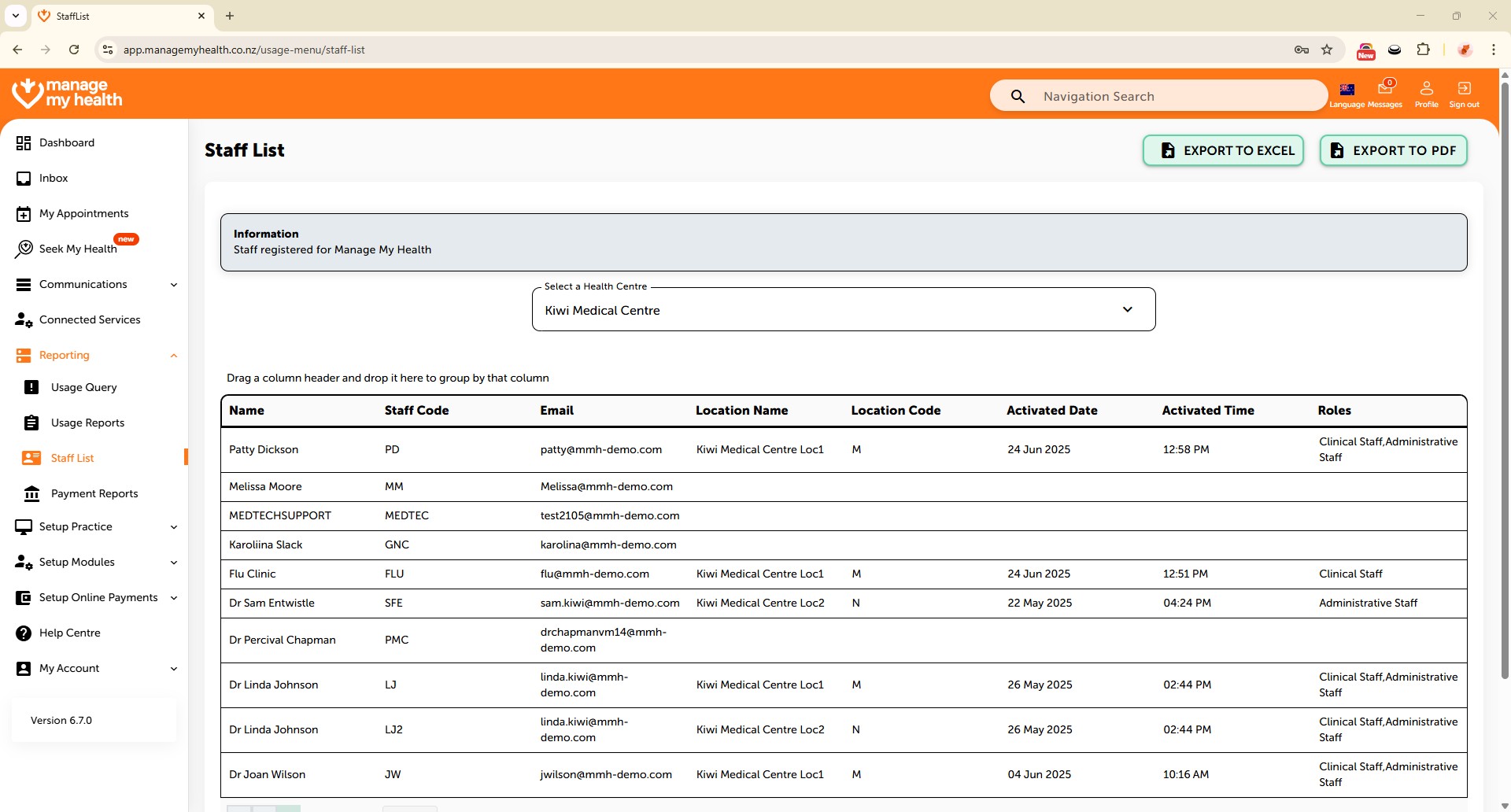
This help guide explains how to view staff and their roles in ManageMyHealth. It’s useful when you need to confirm which staff have MMH accounts and what roles they hold. You’ll learn how to access the staff list, interpret the roles column, and identify staff without accounts. By following these steps, you can also export the staff list to PDF or Excel for record-keeping or sharing.
Video Demo:
Steps:
- Navigate to the Reporting section from the sidebar.
- Select Staff List to view all registered staff members.
- Staff roles configured in ManageMyHealth are displayed under the Roles column.
- If the Roles field is blank, it indicates that the staff member does not have an MMH account.
- To download the list, use the export options in the top-right corner to export as PDF or Excel.