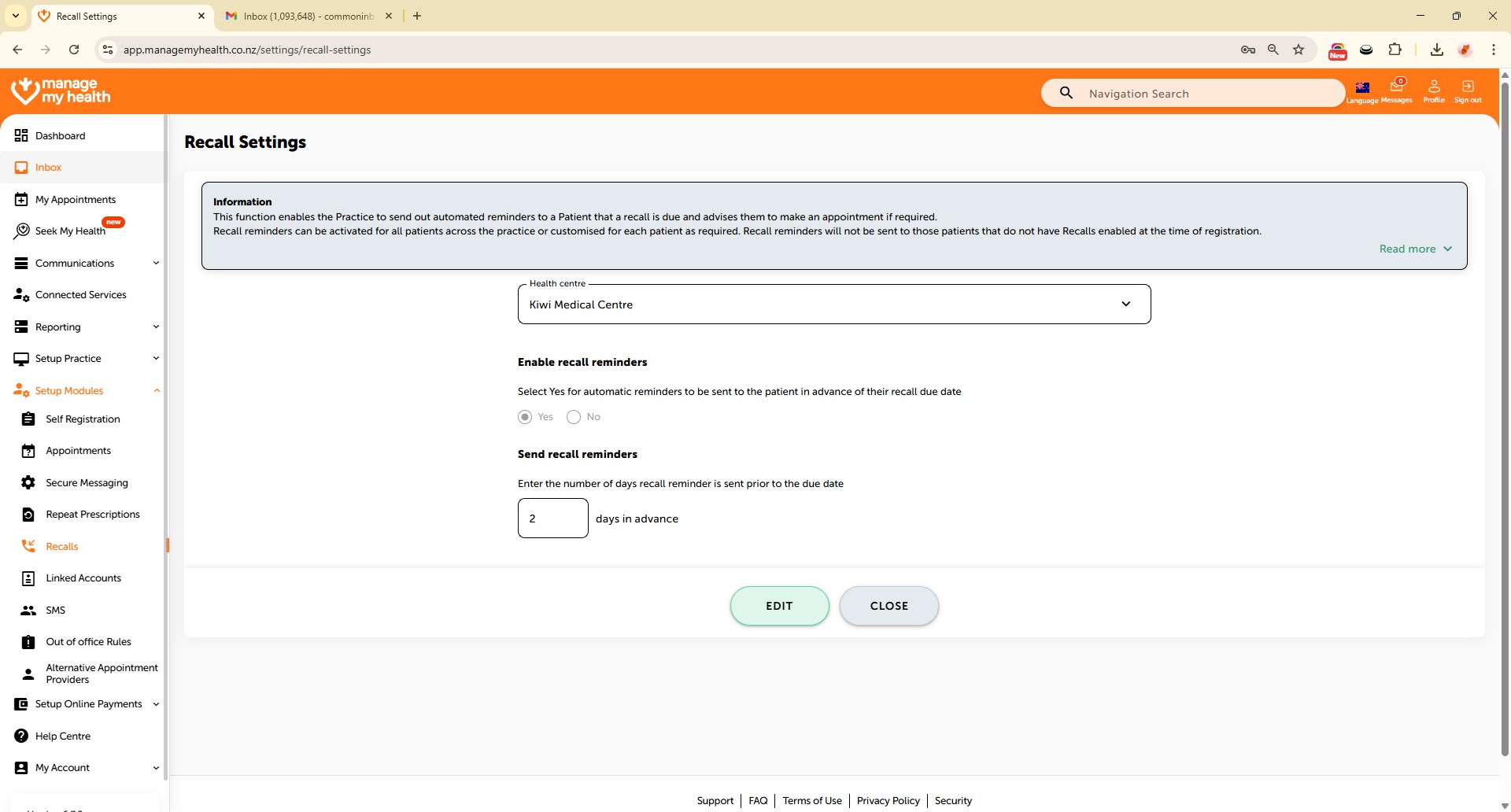
How to enable recall reminders
45 views 0 September 1, 2025
Description:
Recall reminders are notifications sent to patients when they are due for follow-ups, check-ups, or preventive care. They help practices maintain continuity of care and ensure patients do not miss important health interventions. Enabling this feature allows automatic reminders to be sent via email.
Video Demo:
Steps:
- Access “Setup Modules” to manage application features.
- Select “Recalls” from the menu.
- Click “EDIT” to modify recall reminder settings for your medical center.
- Choose “Yes” to enable automatic reminders.
- Set the number of days before the appointment that reminders should be sent.
- Click “SAVE” to apply your changes.
- A confirmation message will indicate that recall reminder settings have been updated successfully.