Description:
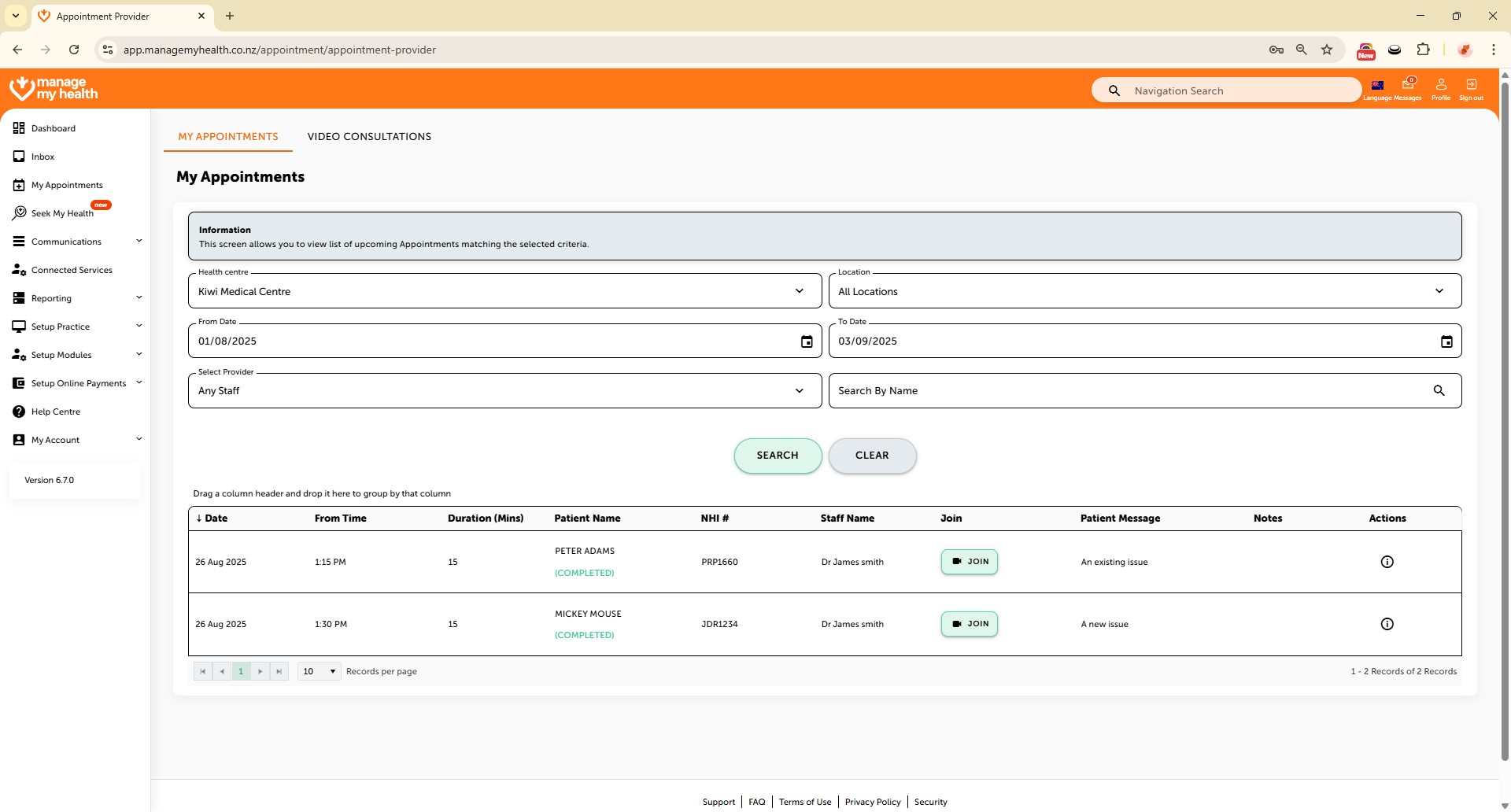
This help guide explains how to view and join video appointments in ManageMyHealth. It’s useful when patients need to keep track of upcoming appointments and access virtual consultations. You’ll learn how to filter appointments by health centre, location, or date, and use the search function to display results. By following these steps, you can also join a video consultation directly from the appointment list or through the Video Consultations tab.
Video Demo:
Steps:
- Go to the My Appointments menu to view and manage your upcoming appointments.
- Click the Health Centre dropdown to filter appointments by your preferred health centre.
- Use the Location filter to narrow appointments by specific location.
- Click the calendar icon to select a date range.
- Click SEARCH to view the appointments.
- To join a video consultation, click “Join” or go to the Video Consultations tab.