How to view demographic updates
98 views 5 August 29, 2025
Description:
This help guide explains how to view and apply demographic updates in ManageMyHealth. It’s useful when patients update their personal information through the portal, and you need to review and confirm the changes. You’ll learn how to open the Reception Inbox, view the details of the update, and file the new information into the patient’s record. By following these steps, you can ensure patient demographic details remain accurate and up to date.
Video Demo:
Steps:
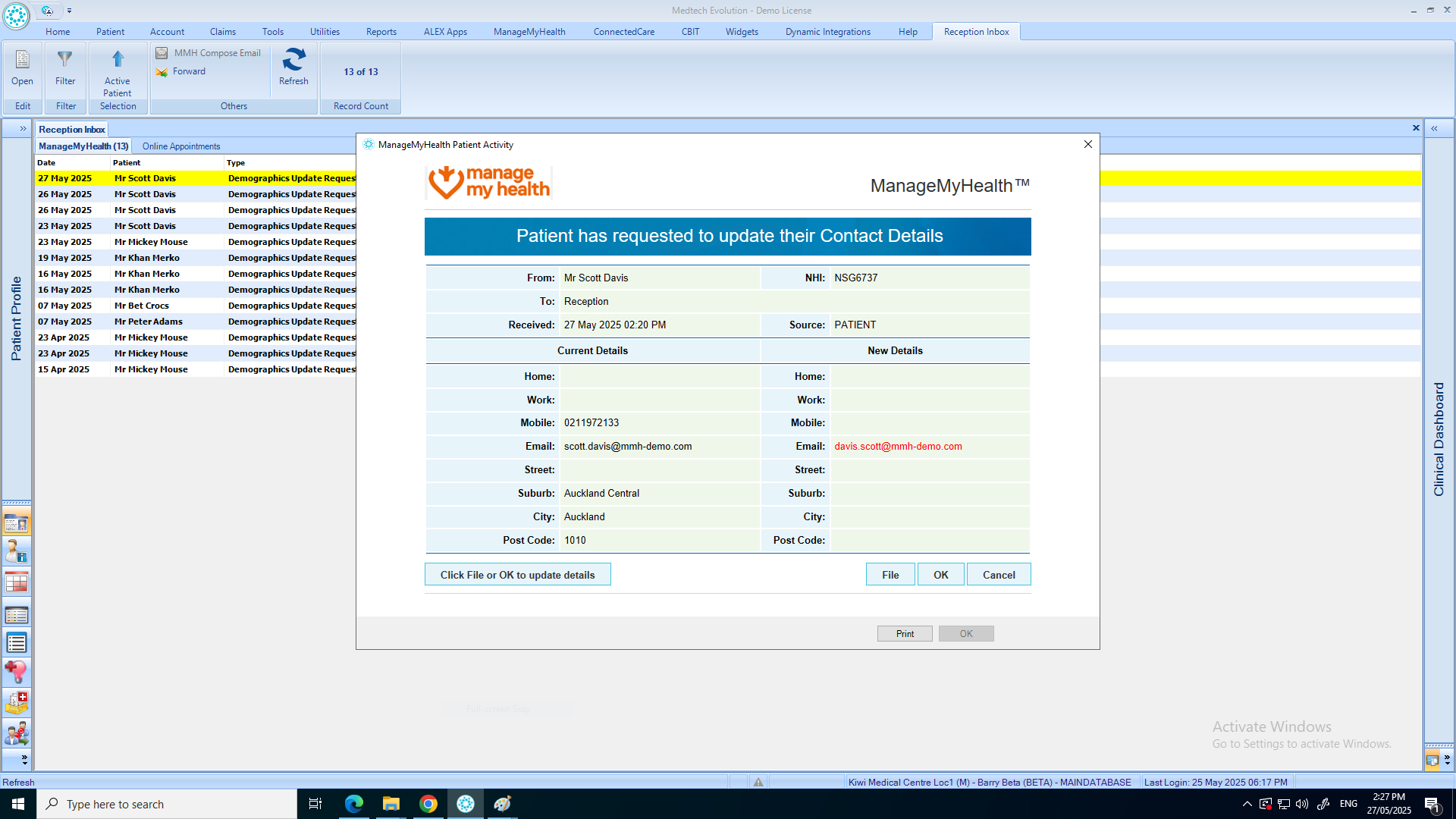
- From the “Home” menu, go to the “Reception Inbox”.
- Double click the record you want to view in detail.
- Review the patient’s updates and click “Update Evolution with New details“.
- Confirm the updates by clicking on “File” or “OK“.
You have successfully made updates to the Patient Registration.