Description:
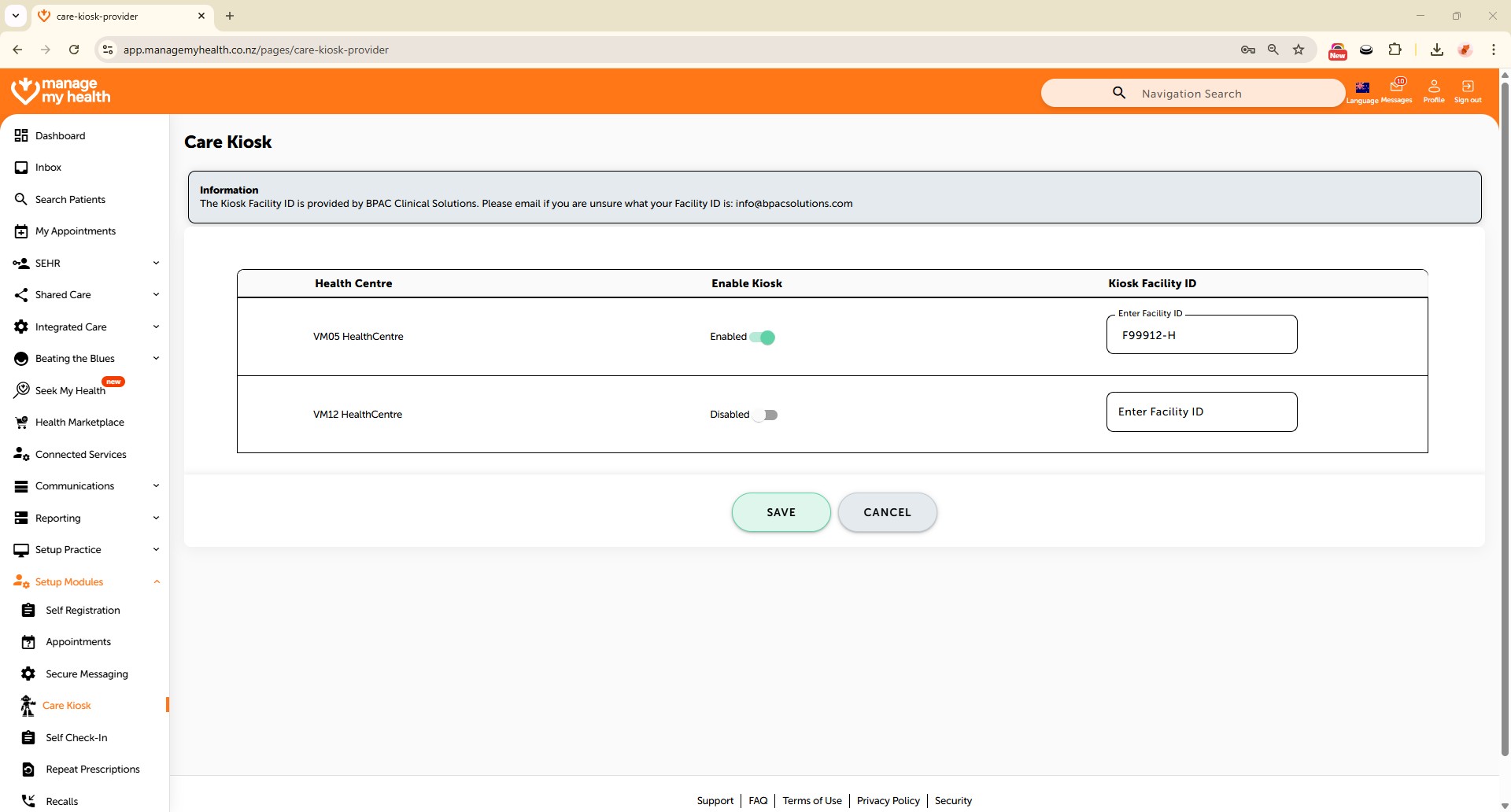
This help guide explains how to enable or disable the Care Kiosk for health centres in ManageMyHealth. It’s useful when you want to set up or remove access to self-service kiosks for patient measurements. You’ll learn how to enter a Facility ID, toggle kiosk availability, and save changes for a selected location. By following these steps, you can control Care Kiosk access and allow patients to scan a QR code to begin their measurements when enabled.
Video Demo:
Steps:
- Navigate to Setup Modules in the sidebar.
- Select Care Kiosk to access kiosk configuration settings.
- If unsure of the Facility ID, contact the BPAC team at [email protected] for assistance.
- Toggle the button to enable the Care Kiosk for the selected location.
- Enter the Facility ID for the specified location.
- Click Save to apply the configuration changes for the selected health centre(s).
- To deactivate the Care Kiosk, turn off the toggle switch for the location.
- Once enabled, the patient portal view will allow patients to scan the QR code on the KIOSK to begin their measurements.