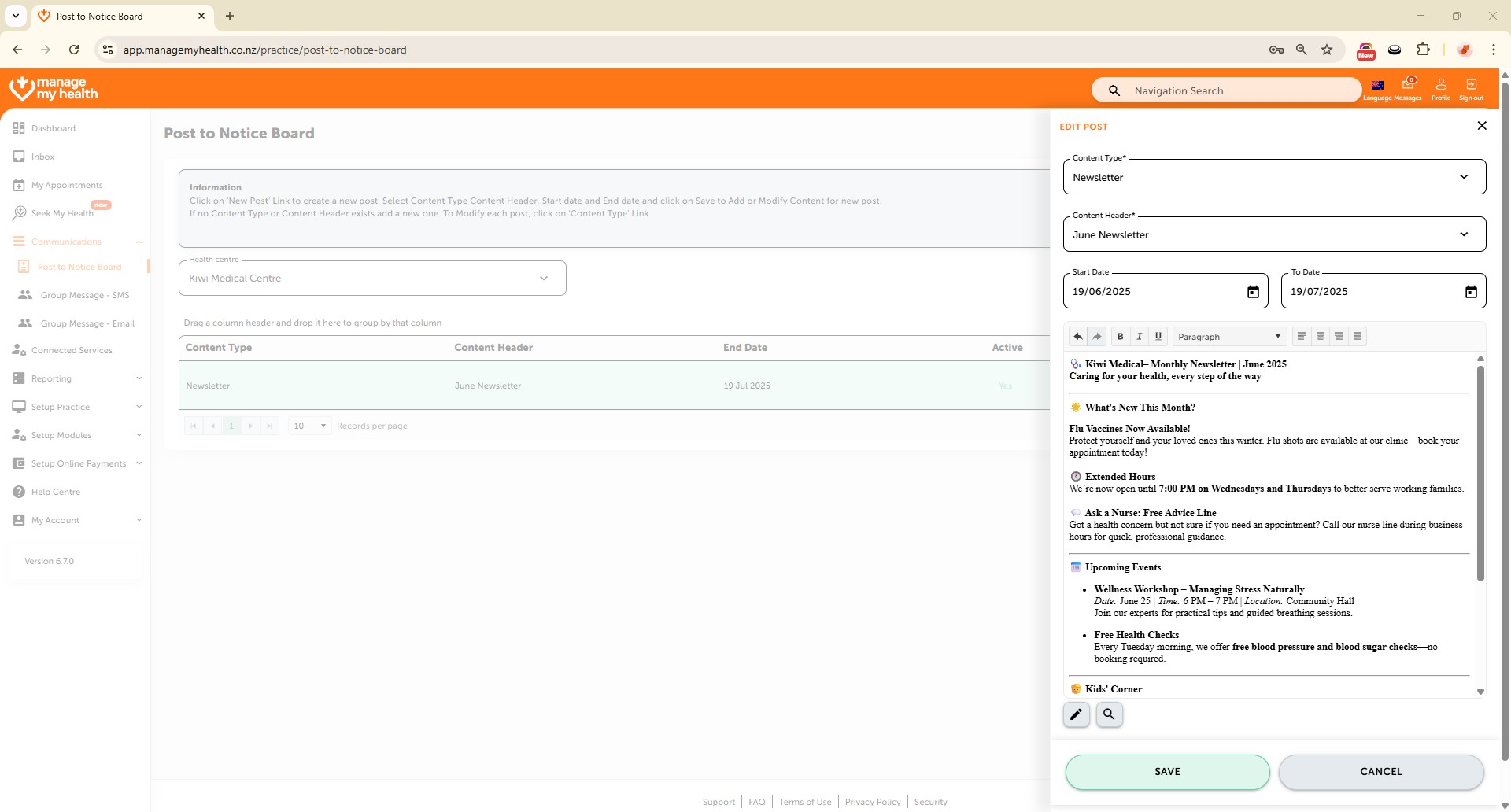
Description:
This help guide explains how to create and publish posts to the Notice Board in ManageMyHealth. It’s useful when you want to share newsletters, updates, or announcements with patients through their portal. You’ll learn how to choose or add content types and headers, write your post, and set start and end dates for visibility. By following these steps, you can publish your notice so patients see timely information from your health centre.
Video Demo:
Steps:
- Go to the “Communications” section from the left sidebar and select “Post to Notice Board.”
- Click “NEW POST” to start creating a new notice.
- Open the “Content Type” dropdown and select an existing type (e.g., Newsletter), or click “Add New Type” to create and save a new one.
- Similarly, choose a Content Header from the dropdown or click “Add New Type” to create a custom header and click “ADD TO LIST.”
- Select the created Header from the dropdown.
- Enter your post content, then choose the Start Date and To Date to control visibility.
- Review your details, then click “SAVE” to publish the post to the notice board.