Description:
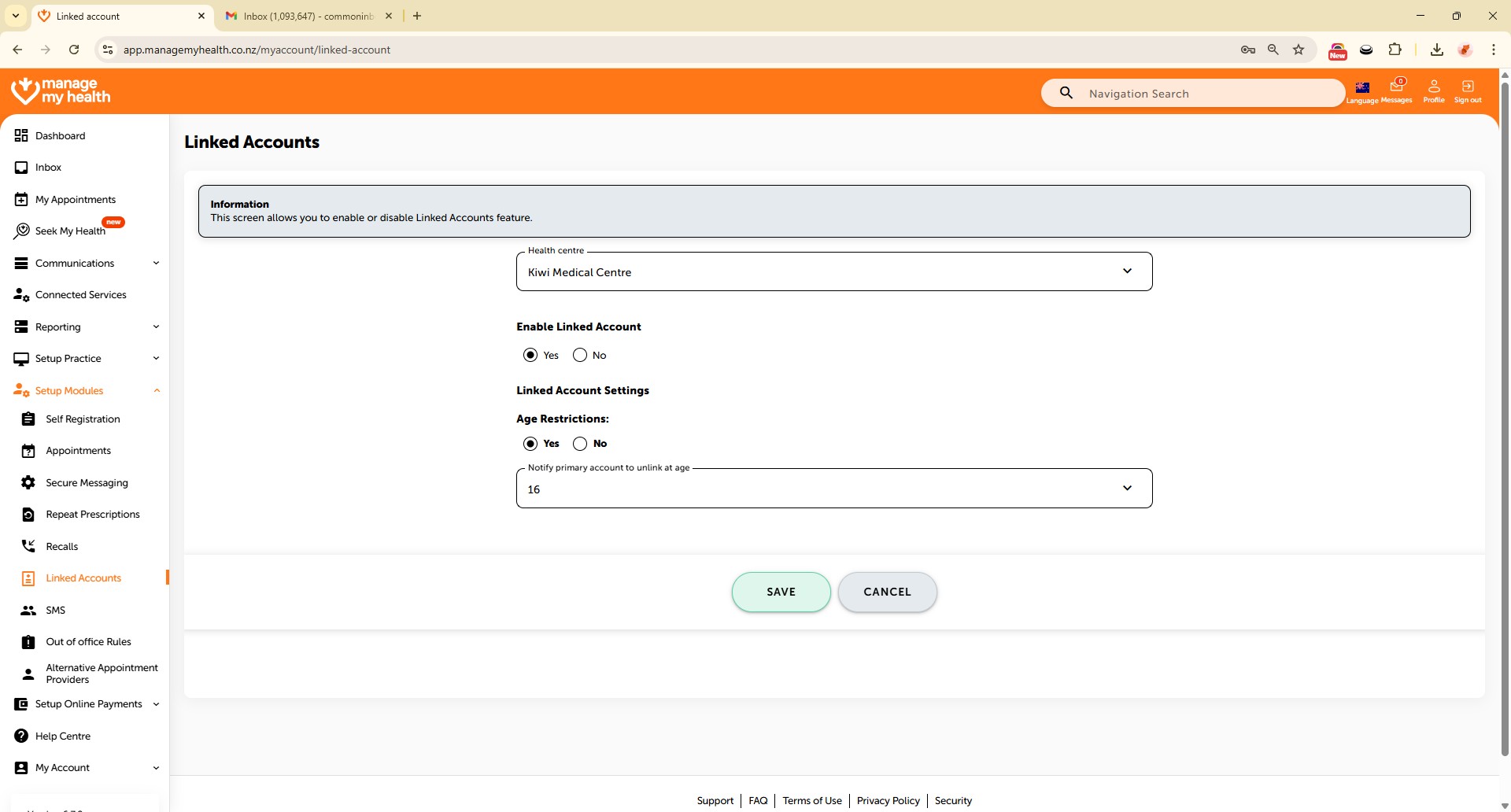
This help guide explains how to enable or disable linked accounts in ManageMyHealth. It’s useful when you want to control whether patients can link accounts, such as for dependants or family members. You’ll learn how to switch the feature on or off, apply age restrictions, and set notifications for unlinking when required. By following these steps, you can manage linked account access and ensure account settings meet your practice’s policies.
Video Demo:
Steps:
- Navigate to “Setup Modules” in the left menu and select “Linked Accounts.”
- Click “EDIT” to modify the linked account settings.
- To enable the linked account feature, select “Yes” under Enable Linked Account; to disable it, select “No.”
- To apply age restrictions, select “Yes”, then choose the appropriate age from the dropdown at which the primary account will be notified to unlink.
- To disable age restrictions, select “No” under the age restriction option.
- Click “SAVE” to apply and confirm the changes